GROWTH / OFFICIAL
Cross-Channel Ad Growth Brief
Apple Search Ads Meta Ads Slack
Official and community authors list the flows they have polished here — free or paid, with versions and download counts. Install into your own space and dependencies resolve themselves.
528Templates
Each category has been equipped with the third-party services it relies on, and it can be run after installation and authorization.
Unify campaign, attribution, and revenue data into optimization recommendations you can act on.
Turn team knowledge, tasks, and notifications into reliable, self-running workflows.
Pull data from code, search, and databases, then send results back to your systems.
Continuously monitor payments, subscriptions, support, and business performance.
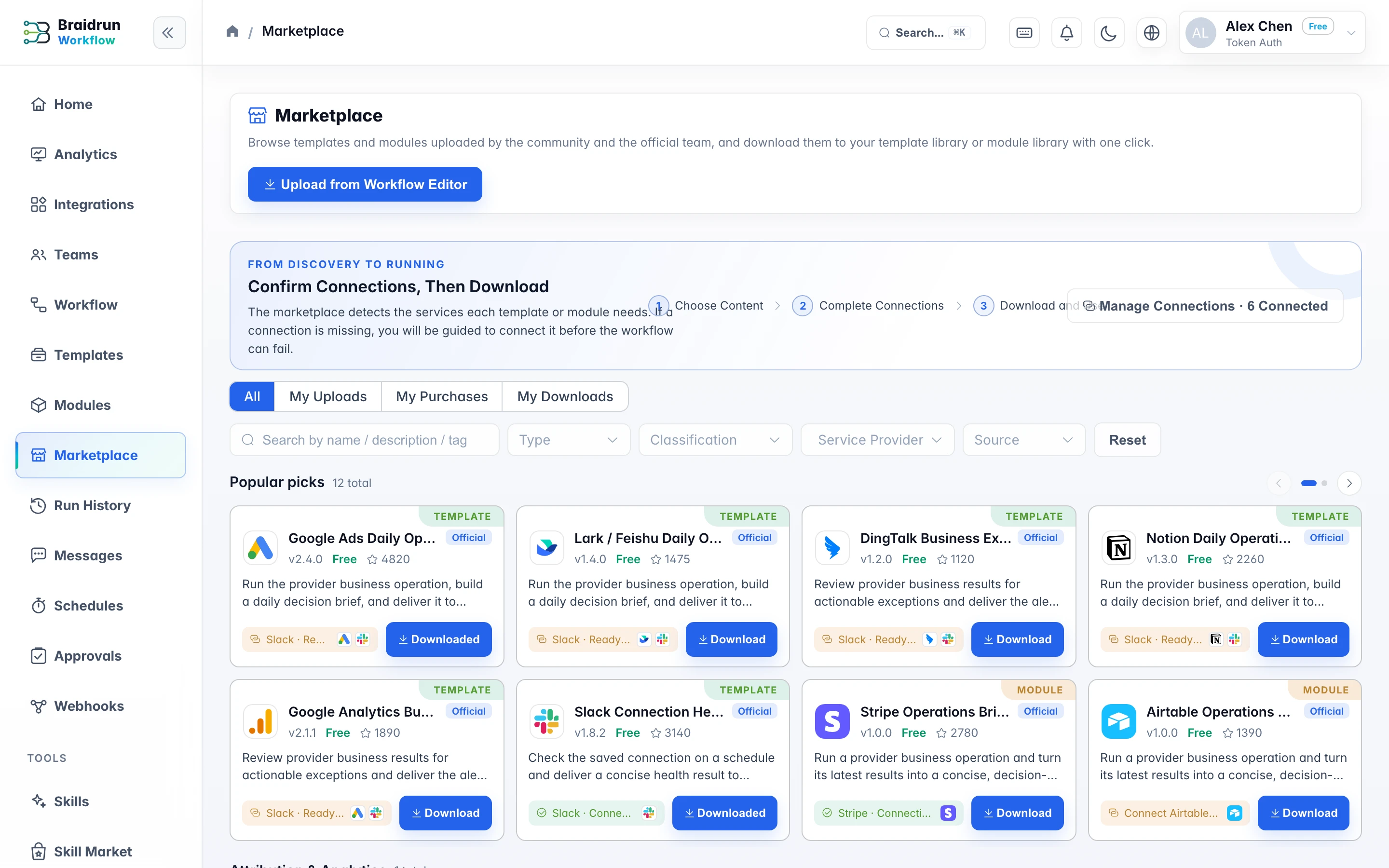
91Each service has a built-in authorization process. The market will mark which services each entry depends on, and if they are missing, you can connect them first and then download them.
The list can be filtered by type (template / module), category, and tags, and searched by name, description, and tags. There are three views at the top: All, Uploaded by me, and Downloaded by me. Each card shows the author, the latest version number, and the download count; items shipped with the platform carry an "Official" mark.
When you install a template, the modules it references are resolved by version and installed together automatically—no hunting down dependencies one by one.
The marketplace detects the services each template or module needs. If a connection is missing, you will be guided to connect it before the workflow can fail.
An instantiated workflow is independent of the marketplace item: a new version from the author won't change your instance, and uninstalling an item from "Downloaded by me" doesn't affect workflows you've already instantiated.
Pick a workflow from your library and upload it: a template is the whole flow, a module is a sub-flow for others to reference. Add a description and a category.
An entry can be free or carry a price. The listing shows price, author and download count, and entries shipped with the platform carry an "official" badge.
Each update ships as a new version. People who already downloaded it can stay on the old one or read the change notes before upgrading.
Installers get an independent instance: publishing a new version never touches the workflow they are already running, and any missing service authorization is prompted for at install time.